
[test][discovery] Speed up testcase discovery.

This change refactors testcase discovery for faster multi-stage loading.

The previous testcase discovery process would block on a full
`fx test --list <test>` command. This is a pretty heavyweight command,
leading to a sluggish experience when expanding test items in the UI.

This change refactors the discovery logic to be asynchronous and
multi-staged, providing results significantly quicker to the user.

The new discovery process now populates testcases in three tiers:
1.  **Cache:** Instantly loads testcases from the workspace state cached
    during the previous successful discovery.
2.  **No-Build:** Runs `fx test --list --no-build` to quickly enumerate
    across tests that are already built.
3.  **With-Build:** Runs the full `fx test --list` to retrieve the most
    accurate and updated list of test cases.

The UI is updated as each stage completes, starting with the
fastest (cache) and ending with the most accurate (with-build).
The results from the final stage are cached for the next session.

This implementation also refactors the `TestcaseDiscoveryQueue` to
handle concurrent discovery requests concurrently instead of processing
them serially, and adds additional functionality to DataStreamProcess +
JsonStreamProcess for improved debugging.

Fixed: 447204022
Change-Id: Ibeab4fbfe0ea9e028c286688b6bb005c46643307
Reviewed-on: https://fuchsia-review.googlesource.com/c/vscode-plugins/+/1409174
Kokoro: Kokoro <noreply+kokoro@google.com>
Reviewed-by: Amy Hu <amyhu@google.com>
The Fuchsia VS Code Extension streamlines Fuchsia development by integrating essential tools and workflows within the editor.
Visit the fuchsia.dev reference for a detailed walkthrough of this extension's features, Using the Fuchsia extension for VS Code.
Ensure you have a Fuchsia source checkout. You may need to configure the path to your ffx tool:
Settings > Extensions > FuchsiaFuchsia: Ffx Path to the absolute path of your ffx executable.If not set, the extension will search for ffx in ./tools/ffx and ./.jiri_root/bin/ffx.
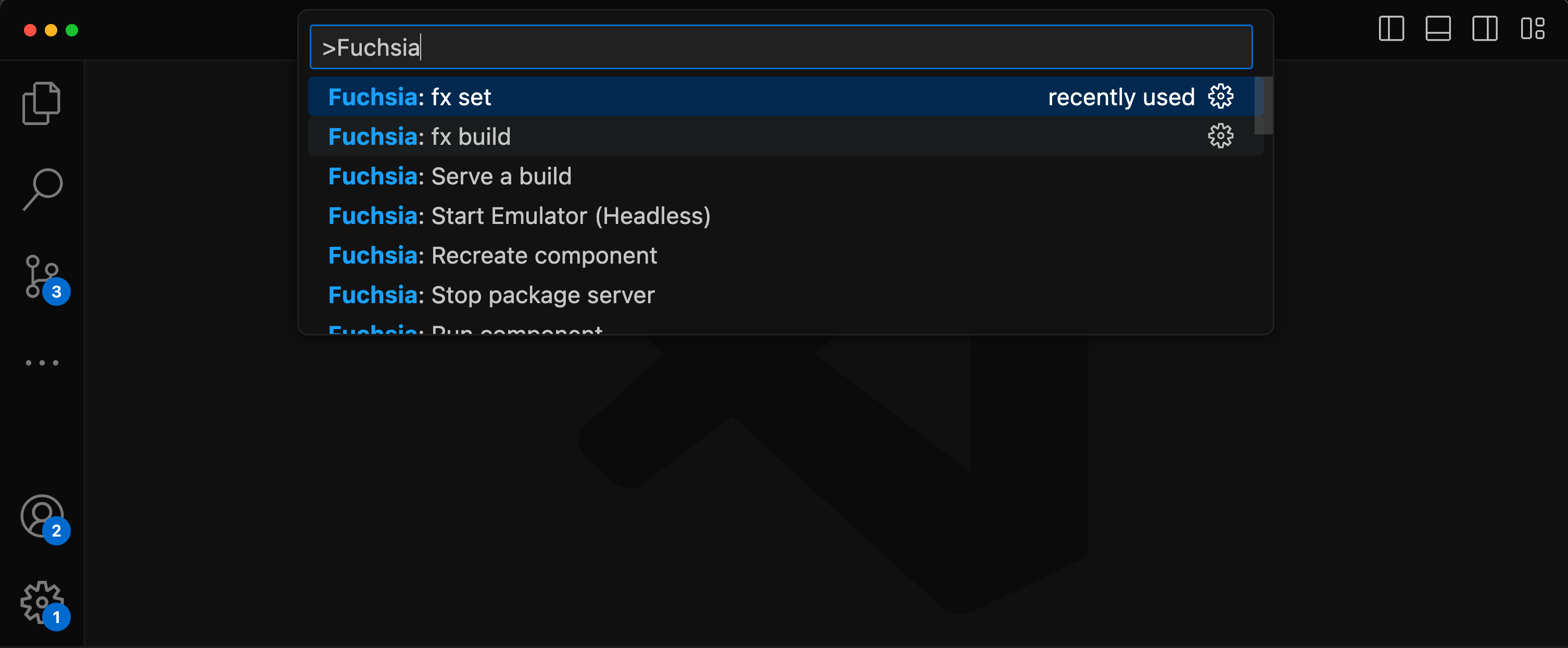
All features are accessible via the VS Code command palette Ctrl+Shift+P or Cmd+Shift+P. Type “Fuchsia” to see a list of available commands.
There are two options to set a keybinds for fx build.
Default build task
Terminal > Configure Default Build Task...Fuchsia Extension: fx buildCustom key
Preferences: Open Keyboard ShortcutsFuchsia: fx buildUse of the Fuchsia core developer tools is subject to the Google Terms of Service. The Google Privacy Policy describes how data is handled in your use of this service.