Integrations
VS Code (Official)
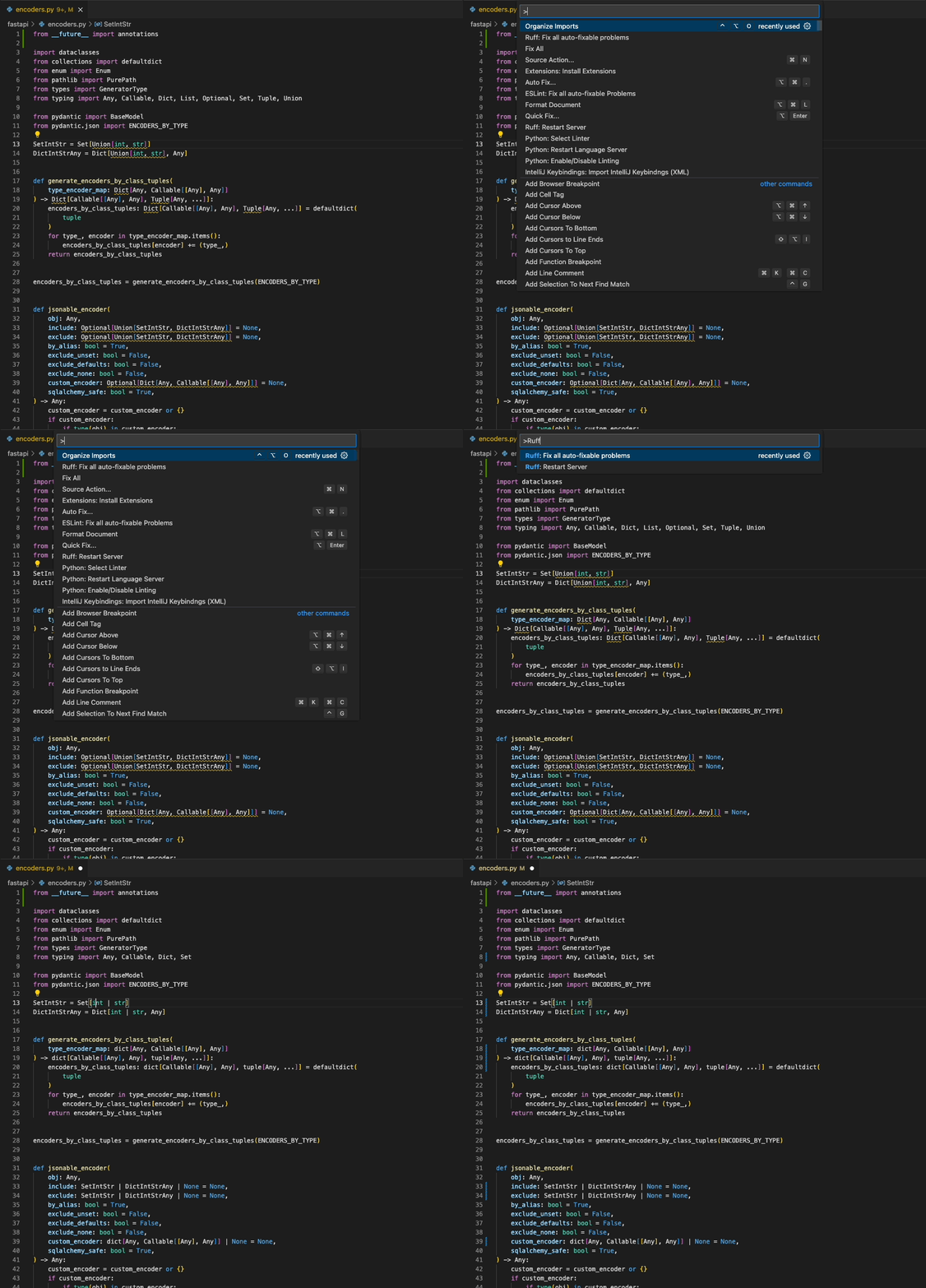
Download the Ruff VS Code extension, which supports fix actions, import sorting, and more.
pre-commit
Ruff can be used as a pre-commit hook via ruff-pre-commit:
# Run the Ruff formatter.
- repo: https://github.com/astral-sh/ruff-pre-commit
  # Ruff version.
  rev: v0.0.291
  hooks:
    - id: ruff-format
# Run the Ruff linter.
- repo: https://github.com/astral-sh/ruff-pre-commit
  # Ruff version.
  rev: v0.0.291
  hooks:
    - id: ruff
To enable fixes, add the --fix argument to the linter:
# Run the Ruff linter.
- repo: https://github.com/astral-sh/ruff-pre-commit
  # Ruff version.
  rev: v0.0.291
  hooks:
    - id: ruff
      args: [ --fix, --exit-non-zero-on-fix ]
To run the hooks over Jupyter Notebooks too, add jupyter to the list of allowed filetypes:
# Run the Ruff linter.
- repo: https://github.com/astral-sh/ruff-pre-commit
  # Ruff version.
  rev: v0.0.291
  hooks:
    - id: ruff
      types_or: [python, pyi, jupyter]
Ruff‘s lint hook should be placed after other formatting tools, such as Ruff’s format hook, Black, or isort, unless you enable autofix, in which case, Ruff‘s pre-commit hook should run before Black, isort, and other formatting tools, as Ruff’s autofix behavior can output code changes that require reformatting.
As long as your Ruff configuration avoids any linter-formatter incompatibilities, ruff format should never introduce new lint errors, so it‘s safe to run Ruff’s format hook after ruff check --fix.
Language Server Protocol (Official)
Ruff supports the Language Server Protocol via the ruff-lsp Python package, available on PyPI.
ruff-lsp enables Ruff to be used with any editor that supports the Language Server Protocol, including Neovim, Sublime Text, Emacs, and more.
For example, to use ruff-lsp with Neovim, install ruff-lsp from PyPI along with nvim-lspconfig. Then, add something like the following to your init.lua:
-- See: https://github.com/neovim/nvim-lspconfig/tree/54eb2a070a4f389b1be0f98070f81d23e2b1a715#suggested-configuration
local opts = { noremap=true, silent=true }
vim.keymap.set('n', '<space>e', vim.diagnostic.open_float, opts)
vim.keymap.set('n', '[d', vim.diagnostic.goto_prev, opts)
vim.keymap.set('n', ']d', vim.diagnostic.goto_next, opts)
vim.keymap.set('n', '<space>q', vim.diagnostic.setloclist, opts)

-- Use an on_attach function to only map the following keys
-- after the language server attaches to the current buffer
local on_attach = function(client, bufnr)
  -- Enable completion triggered by <c-x><c-o>
  vim.api.nvim_buf_set_option(bufnr, 'omnifunc', 'v:lua.vim.lsp.omnifunc')

  -- Mappings.
  -- See `:help vim.lsp.*` for documentation on any of the below functions
  local bufopts = { noremap=true, silent=true, buffer=bufnr }
  vim.keymap.set('n', 'gD', vim.lsp.buf.declaration, bufopts)
  vim.keymap.set('n', 'gd', vim.lsp.buf.definition, bufopts)
  vim.keymap.set('n', 'K', vim.lsp.buf.hover, bufopts)
  vim.keymap.set('n', 'gi', vim.lsp.buf.implementation, bufopts)
  vim.keymap.set('n', '<C-k>', vim.lsp.buf.signature_help, bufopts)
  vim.keymap.set('n', '<space>wa', vim.lsp.buf.add_workspace_folder, bufopts)
  vim.keymap.set('n', '<space>wr', vim.lsp.buf.remove_workspace_folder, bufopts)
  vim.keymap.set('n', '<space>wl', function()
    print(vim.inspect(vim.lsp.buf.list_workspace_folders()))
  end, bufopts)
  vim.keymap.set('n', '<space>D', vim.lsp.buf.type_definition, bufopts)
  vim.keymap.set('n', '<space>rn', vim.lsp.buf.rename, bufopts)
  vim.keymap.set('n', '<space>ca', vim.lsp.buf.code_action, bufopts)
  vim.keymap.set('n', 'gr', vim.lsp.buf.references, bufopts)
  vim.keymap.set('n', '<space>f', function() vim.lsp.buf.format { async = true } end, bufopts)
end

-- Configure `ruff-lsp`.
local configs = require 'lspconfig.configs'
if not configs.ruff_lsp then
  configs.ruff_lsp = {
    default_config = {
      cmd = { 'ruff-lsp' },
      filetypes = { 'python' },
      root_dir = require('lspconfig').util.find_git_ancestor,
      init_options = {
        settings = {
          args = {}
        }
      }
    }
  }
end
require('lspconfig').ruff_lsp.setup {
  on_attach = on_attach,
}
Upon successful installation, you should see Ruff's diagnostics surfaced directly in your editor:

To use ruff-lsp with other editors, including Sublime Text and Helix, see the ruff-lsp documentation.
Language Server Protocol (Unofficial)
Ruff is also available as the python-lsp-ruff plugin for python-lsp-server, both of which are installable from PyPI:
pip install python-lsp-server python-lsp-ruff
The LSP server can then be used with any editor that supports the Language Server Protocol.
For example, to use python-lsp-ruff with Neovim, add something like the following to your init.lua:
require'lspconfig'.pylsp.setup {
  settings = {
    pylsp = {
      plugins = {
        ruff = {
          enabled = true
        },
        pycodestyle = {
          enabled = false
        },
        pyflakes = {
          enabled = false
        },
        mccabe = {
          enabled = false
        }
      }
    }
  },
}
Vim & Neovim
Ruff can be integrated into any editor that supports the Language Server Protocol via ruff-lsp (see: Language Server Protocol), including Vim and Neovim.
It's recommended that you use ruff-lsp, the officially supported LSP server for Ruff. To use ruff-lsp with Neovim, install ruff-lsp from PyPI along with nvim-lspconfig. Then, add something like the following to your init.lua:
-- See: https://github.com/neovim/nvim-lspconfig/tree/54eb2a070a4f389b1be0f98070f81d23e2b1a715#suggested-configuration
local opts = { noremap=true, silent=true }
vim.keymap.set('n', '<space>e', vim.diagnostic.open_float, opts)
vim.keymap.set('n', '[d', vim.diagnostic.goto_prev, opts)
vim.keymap.set('n', ']d', vim.diagnostic.goto_next, opts)
vim.keymap.set('n', '<space>q', vim.diagnostic.setloclist, opts)

-- Use an on_attach function to only map the following keys
-- after the language server attaches to the current buffer
local on_attach = function(client, bufnr)
  -- Enable completion triggered by <c-x><c-o>
  vim.api.nvim_buf_set_option(bufnr, 'omnifunc', 'v:lua.vim.lsp.omnifunc')

  -- Mappings.
  -- See `:help vim.lsp.*` for documentation on any of the below functions
  local bufopts = { noremap=true, silent=true, buffer=bufnr }
  vim.keymap.set('n', 'gD', vim.lsp.buf.declaration, bufopts)
  vim.keymap.set('n', 'gd', vim.lsp.buf.definition, bufopts)
  vim.keymap.set('n', 'K', vim.lsp.buf.hover, bufopts)
  vim.keymap.set('n', 'gi', vim.lsp.buf.implementation, bufopts)
  vim.keymap.set('n', '<C-k>', vim.lsp.buf.signature_help, bufopts)
  vim.keymap.set('n', '<space>wa', vim.lsp.buf.add_workspace_folder, bufopts)
  vim.keymap.set('n', '<space>wr', vim.lsp.buf.remove_workspace_folder, bufopts)
  vim.keymap.set('n', '<space>wl', function()
    print(vim.inspect(vim.lsp.buf.list_workspace_folders()))
  end, bufopts)
  vim.keymap.set('n', '<space>D', vim.lsp.buf.type_definition, bufopts)
  vim.keymap.set('n', '<space>rn', vim.lsp.buf.rename, bufopts)
  vim.keymap.set('n', '<space>ca', vim.lsp.buf.code_action, bufopts)
  vim.keymap.set('n', 'gr', vim.lsp.buf.references, bufopts)
  vim.keymap.set('n', '<space>f', function() vim.lsp.buf.format { async = true } end, bufopts)
end

-- Configure `ruff-lsp`.
-- See: https://github.com/neovim/nvim-lspconfig/blob/master/doc/server_configurations.md#ruff_lsp
-- For the default config, along with instructions on how to customize the settings
require('lspconfig').ruff_lsp.setup {
  on_attach = on_attach,
  init_options = {
    settings = {
      -- Any extra CLI arguments for `ruff` go here.
      args = {},
    }
  }
}
Ruff is also available as part of the coc-pyright extension for coc.nvim.
let g:ale_linters = { "python": ["ruff"] }
let g:ale_fixers = {
\       "python": ["black", "ruff"],
\}
tools:
  python-ruff: &python-ruff
    lint-command: "ruff check --config ~/myconfigs/linters/ruff.toml --quiet ${INPUT}"
    lint-stdin: true
    lint-formats:
      - "%f:%l:%c: %m"
    format-command: "ruff check --stdin-filename ${INPUT} --config ~/myconfigs/linters/ruff.toml --fix --exit-zero --quiet -"
    format-stdin: true
require("conform").setup({
    formatters_by_ft = {
        python = {
          -- To fix lint errors.
          "ruff_fix",
          -- To run the Ruff formatter.
          "ruff_format",
        },
    },
})
require("lint").linters_by_ft = {
  python = { "ruff" },
}
PyCharm (External Tool)
Ruff can be installed as an External Tool in PyCharm. Open the Preferences pane, then navigate to “Tools”, then “External Tools”. From there, add a new tool with the following configuration:

Ruff should then appear as a runnable action:

PyCharm (Unofficial)
Ruff is also available as the Ruff plugin on the IntelliJ Marketplace (maintained by @koxudaxi).
Emacs (Unofficial)
Ruff is available as flymake-ruff on MELPA:
(require 'flymake-ruff)
(add-hook 'python-mode-hook #'flymake-ruff-load)
TextMate (Unofficial)
Ruff is also available via the textmate2-ruff-linter bundle for TextMate.
GitHub Actions
GitHub Actions has everything you need to run Ruff out-of-the-box:
name: CI
on: push
jobs:
  build:
    runs-on: ubuntu-latest
    steps:
      - uses: actions/checkout@v3
      - name: Install Python
        uses: actions/setup-python@v4
        with:
          python-version: "3.11"
      - name: Install dependencies
        run: |
          python -m pip install --upgrade pip
          pip install ruff
      # Update output format to enable automatic inline annotations.
      - name: Run Ruff
        run: ruff check --output-format=github .
Ruff can also be used as a GitHub Action via ruff-action.
By default, ruff-action runs as a pass-fail test to ensure that a given repository doesn't contain any lint rule violations as per its configuration. However, under-the-hood, ruff-action installs and runs ruff directly, so it can be used to execute any supported ruff command (e.g., ruff check --fix).
ruff-action supports all GitHub-hosted runners, and can be used with any published Ruff version (i.e., any version available on PyPI).
To use ruff-action, create a file (e.g., .github/workflows/ruff.yml) inside your repository with:
name: Ruff
on: [ push, pull_request ]
jobs:
  ruff:
    runs-on: ubuntu-latest
    steps:
      - uses: actions/checkout@v3
      - uses: chartboost/ruff-action@v1
Alternatively, you can include ruff-action as a step in any other workflow file:
- uses: chartboost/ruff-action@v1
ruff-action accepts optional configuration parameters via with:, including:
version: The Ruff version to install (default: latest).options: The command-line arguments to pass to Ruff (default:"check").src: The source paths to pass to Ruff (default:".").
For example, to run ruff check --select B ./src using Ruff version 0.0.259:
- uses: chartboost/ruff-action@v1
  with:
    src: "./src"
    version: 0.0.259
    args: --select B